Software Updates
Software Updates
Deep Security Manager 會定期檢查已匯入 Agent 套件是否有更新。若 Download Center 提供這些套件的新版本,Deep Security Manager 會通知 Agent。
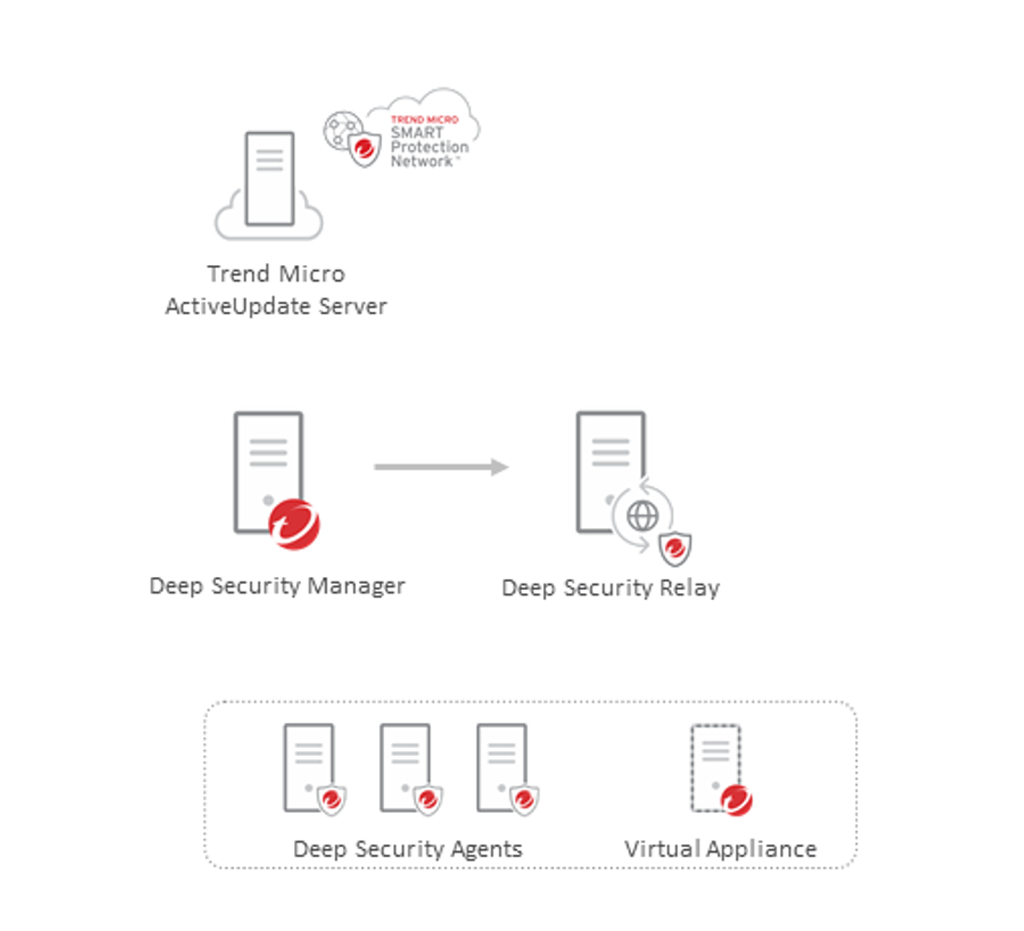
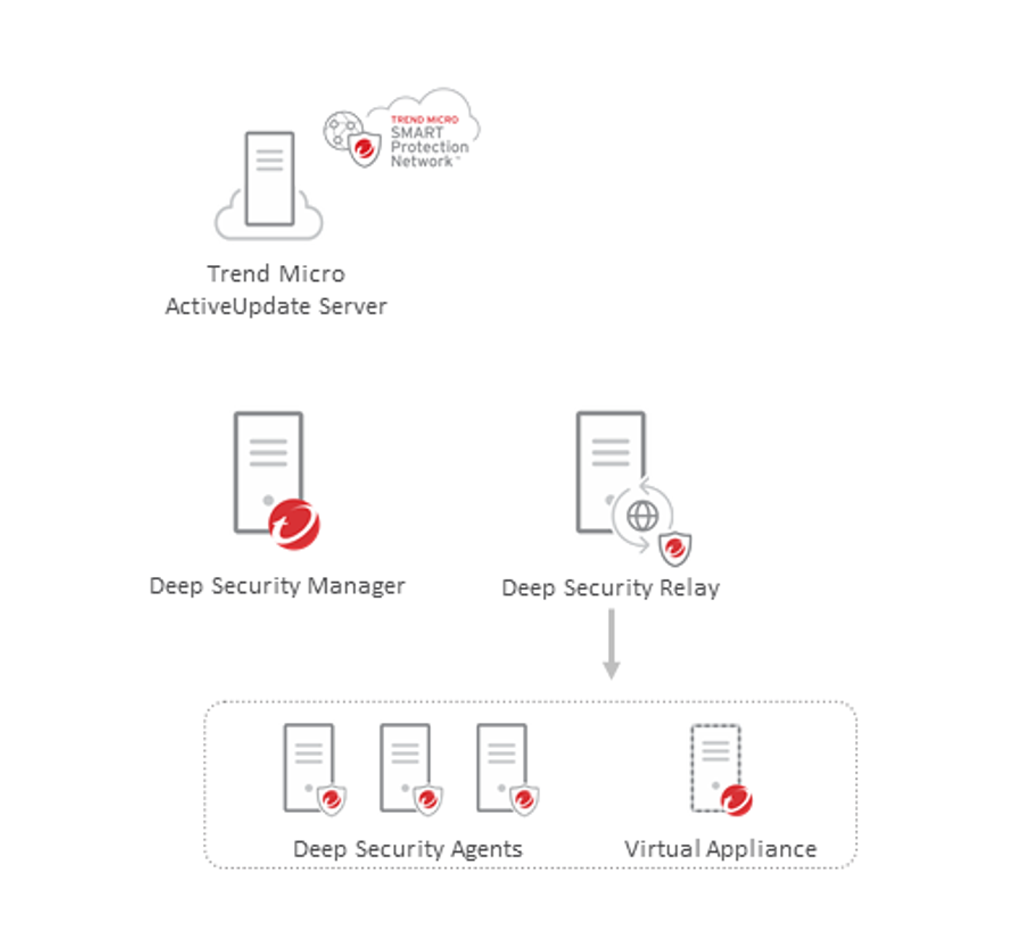
執行 Software Update 時,Deep Security Manager 會將新軟體載入資料庫,並通知 Relay。Relay 會從 Deep Security Manager 取得軟體套件;若 Deep Security Manager 無法使用,則改從 Download Center 取得。接著,Relay 隨即提供更新供下載。收到 Deep Security Manager 指示後,Deep Security Agent 與 Deep Security Virtual Appliance 會從 Relay 取得軟體套件,並安裝在本機系統。
Software Updates Overview 頁面可讓您快速掌握環境中的 Software Updates 狀態。
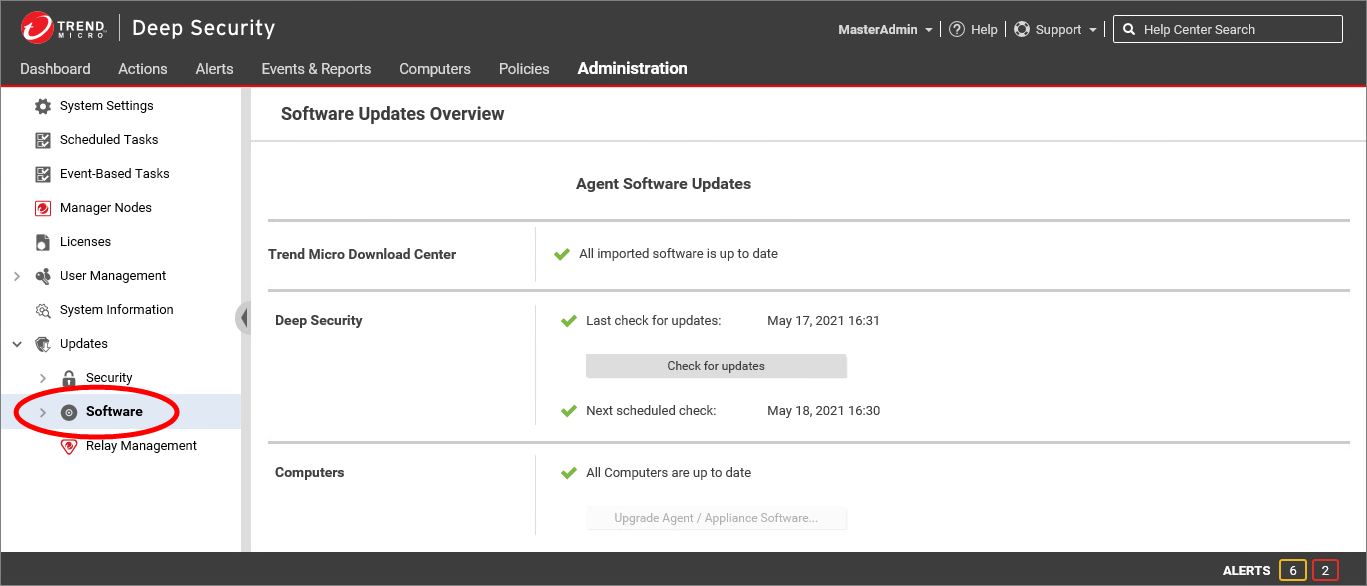
Trend Micro Download Center
此區段會顯示已匯入 Deep Security 的軟體是否有可用更新。
Deep Security
此區段會顯示上次檢查 Software Updates 的時間,以及檢查是否成功。點擊 Check for updates 即可依要求執行檢查。畫面也會顯示下一次 Software Update 排程工作的執行日期;若不存在排程工作,則會顯示警告。
Computers
此區段會顯示電腦上的 Deep Security Agent 是否有可用更新。系統只會針對已下載至 Deep Security 的軟體進行檢查,不會檢查 Download Center 中可用的軟體。若有電腦尚未更新,您可以點擊 Upgrade Agent / Appliance Software...;系統會重新導向至 Computers 頁面,並篩選顯示所有未更新的電腦。
Software Update 流程
Deep Security 會依照下列流程分發 Software Updates:
步驟 1
Deep Security Manager 會依排程工作自動聯繫 Trend Micro Download Center,以檢查 Software Updates;管理員也可以手動啟動檢查。
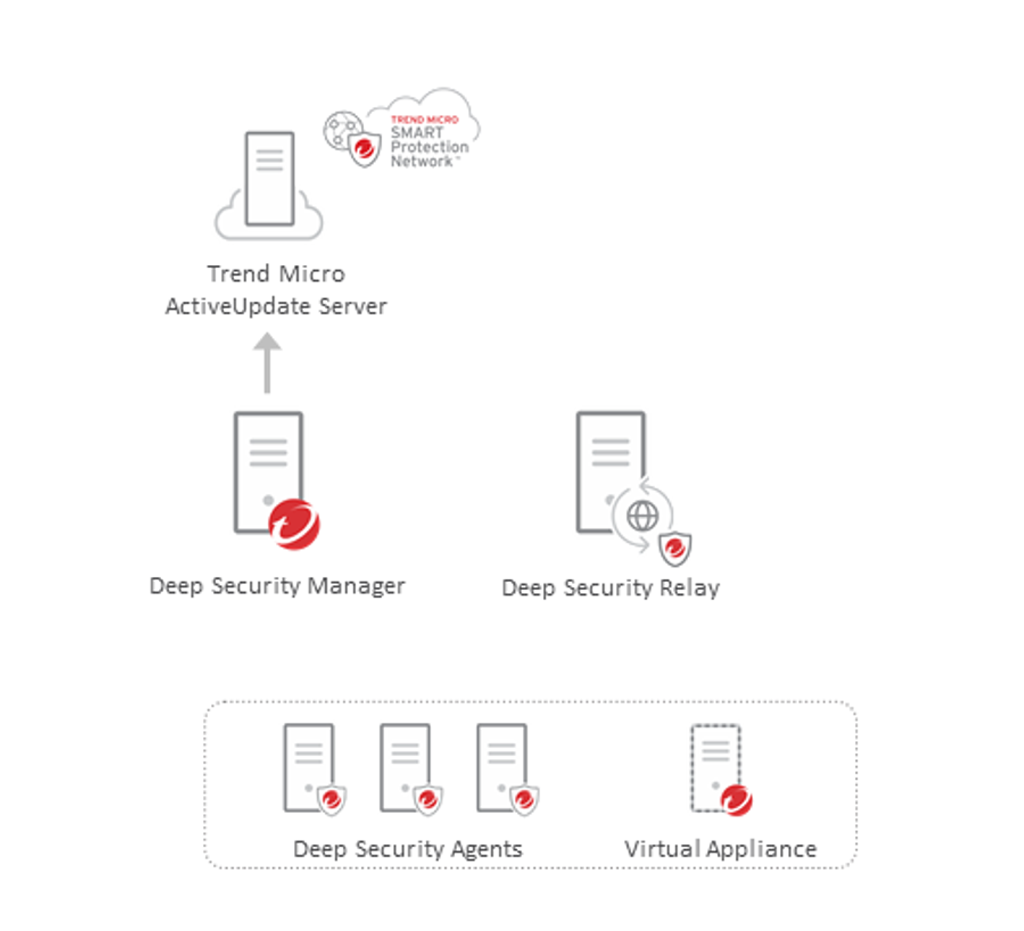
步驟 2
Deep Security Manager 會下載新的 Deep Security Agent 套件。
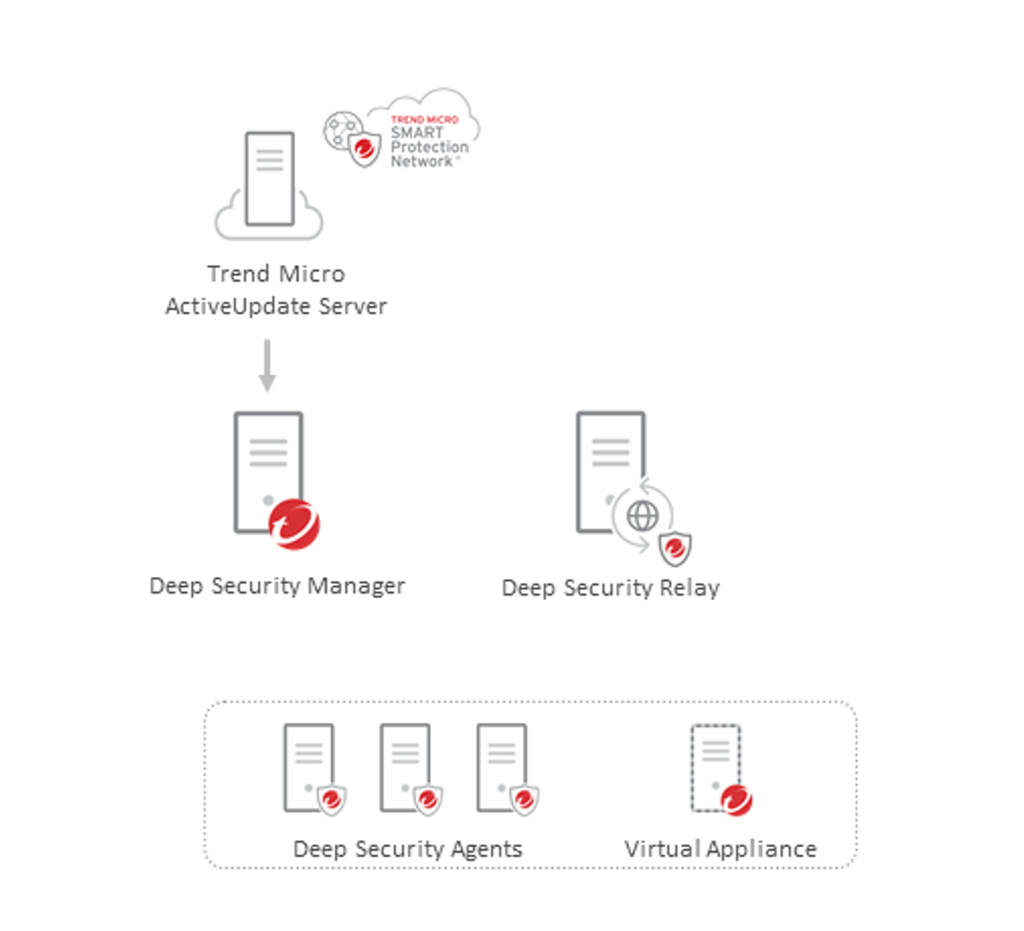
步驟 3
Relay 會向 Deep Security Manager 要求套件。若已啟用此設定且 Deep Security Manager 無法使用,Relay 可以直接從 Download Center 下載套件。
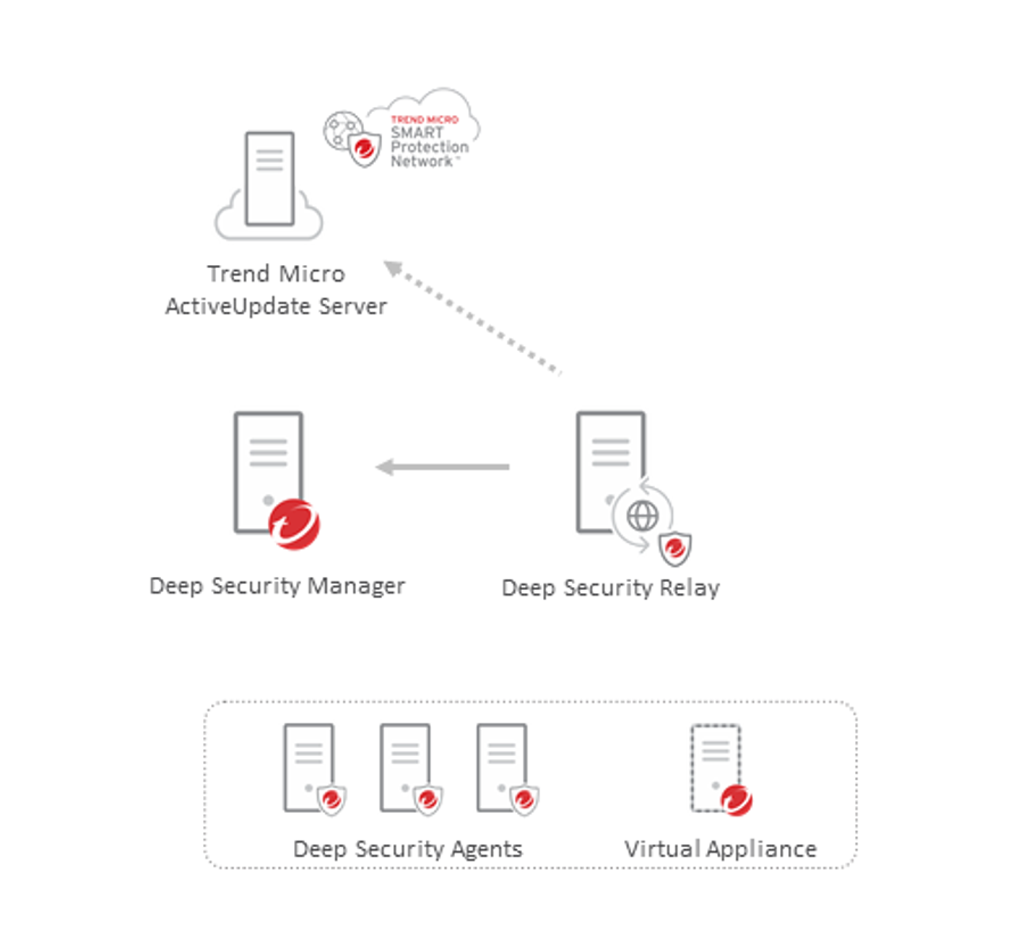
步驟 4
Relay 會解壓縮套件,讓各模組元件可供下載。
步驟 5
Deep Security Agent 會從 Relay 下載並安裝所需元件。
刪除已匯入的 Agent 套件
為節省空間,當 Deep Security 下載套件更新時,可能會自動刪除目前未由 Agent 使用的舊 Agent 套件。資料庫中保留的舊軟體套件數量,可在 Deep Security Manager Web 主控台 Storage 分頁的 Number of older software versions to keep per platform 設定中指定。預設會保留最新的 5 套套件。
您也可以手動刪除未使用的 Deep Security Agent 套件。若您嘗試刪除某部受管理電腦正在使用的軟體,系統會顯示警告並阻止刪除。因此,此設定指定的是保留舊套件數量的下限;實際保留數量可能更高。例如,若設為 5,而目前有 7 個套件版本正在使用,系統仍會保留全部 7 套套件。