單元 4 / 8
Deep Security Relay
Deep Security Relay
Relay 是一種 Agent,可將軟體與 Security Updates 分發給其他 Deep Security Agent 與 Deep Security Virtual Appliance。Deep Security Relay 可提高更新分發效率,並能:
- 透過控管更新流量,降低 WAN 頻寬成本
- 為更新分發提供備援
您的環境中至少必須有一個 Deep Security Relay。您可以將 Deep Security Relay 與 Deep Security Manager 部署在同一部主機上,也可以安裝在另一部電腦上。
連接埠
依預設,Deep Security Relay 使用下列 TCP 連接埠接受連線:
- 連接埠 4118 可讓 Deep Security Agent 接受 Deep Security Manager 的命令
- 連接埠 4122 供 Deep Security Relay 接受 Deep Security Agent 對可更新元件提出的要求
啟用 Deep Security Relay
將 Deep Security Agent 提升為 Relay,即可啟用 Relay 功能。
步驟 1
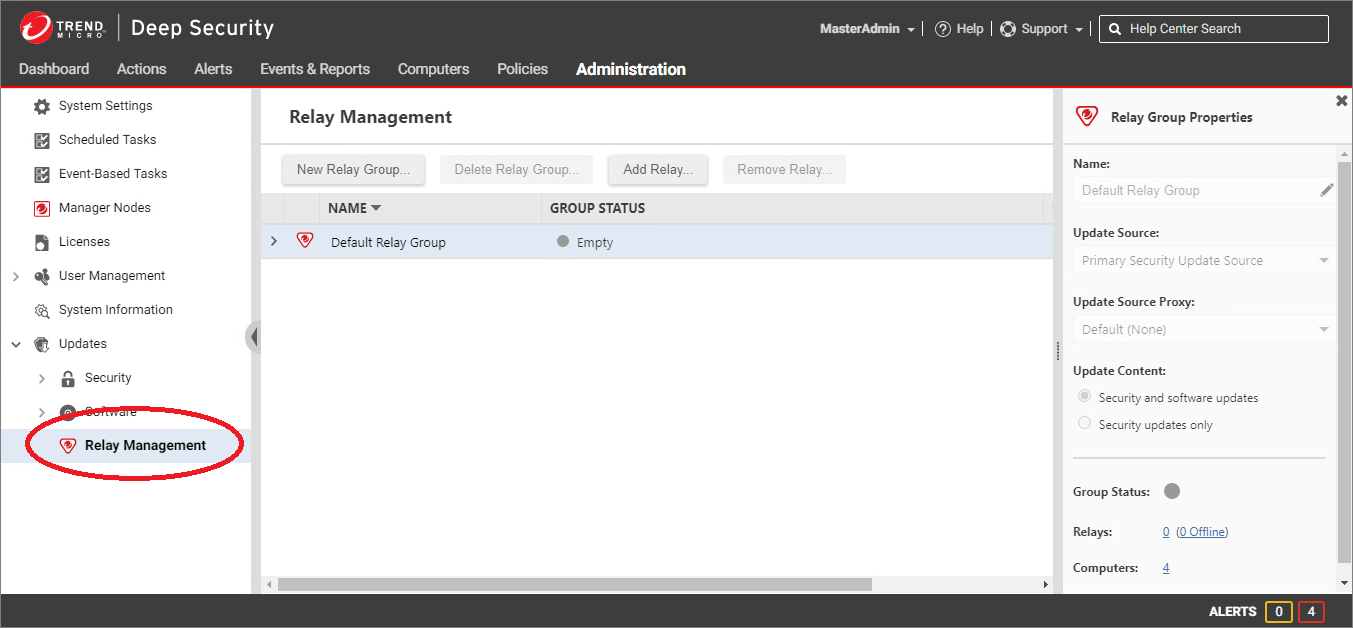
若要啟用 Relay 功能,請點擊 Administration 選單。在左窗格中展開 Updates > Software,然後點擊 Relay Management。
步驟 2
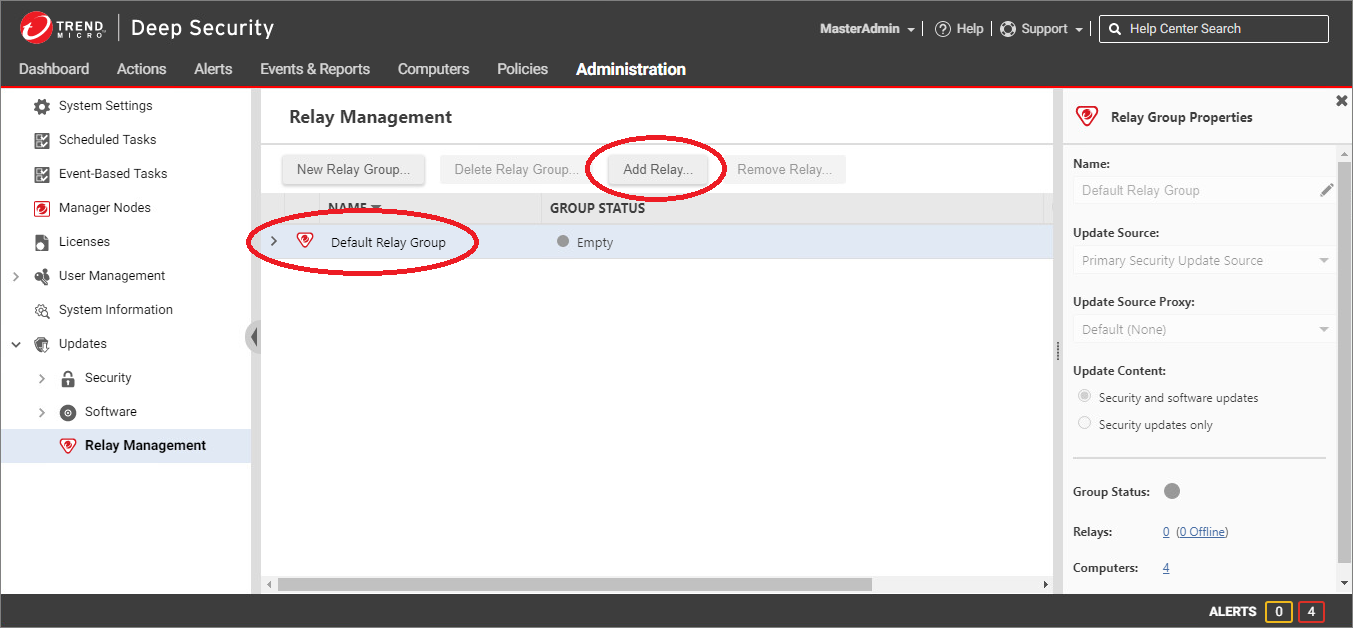
從清單中選取 Relay Group,然後點擊 Add Relay...。
步驟 3
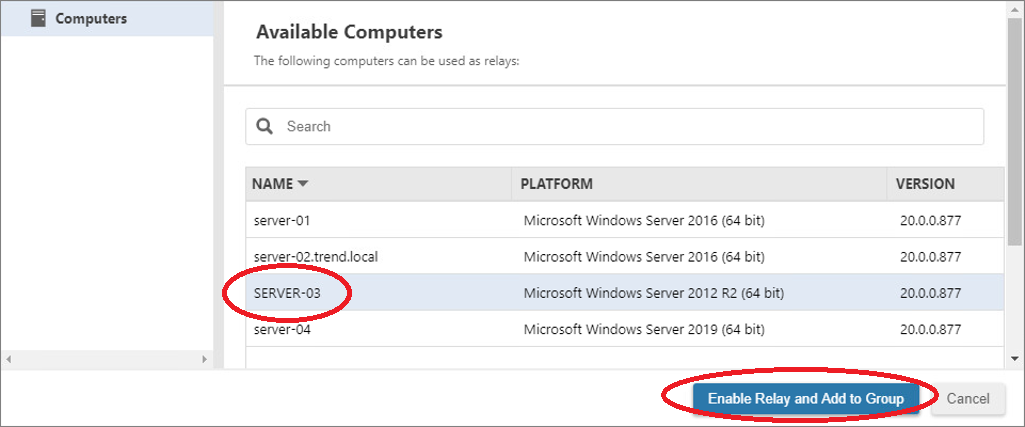
選取要提升的 Deep Security Agent,然後點擊 Enable Relay and Add to Group。
注意: 只有 64-bit Deep Security Agent 可以提升為 Relay。若 Enable Relay 無法使用,可能是因為您嘗試啟用 32-bit Deep Security Agent,或這部電腦已啟用 Relay 功能。
步驟 4
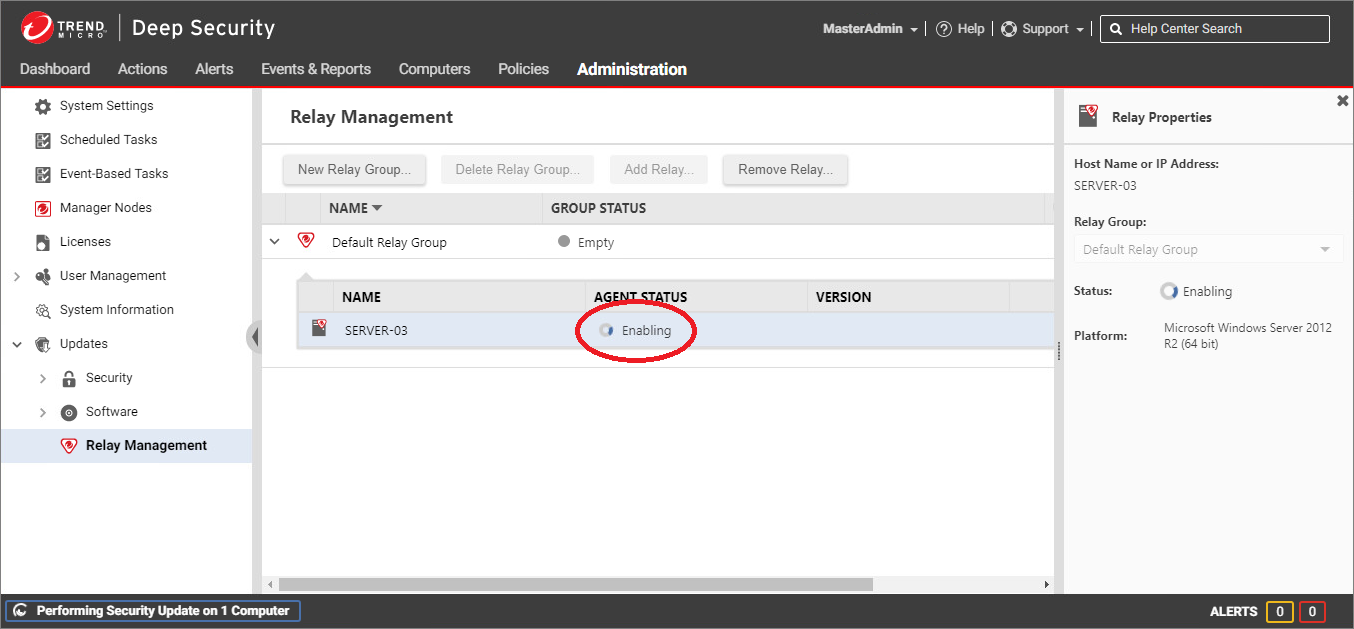
Deep Security Agent 會安裝所需的外掛程式,隨即開始以 Relay 身分運作。