將 Deep Security Agent 升級至 Deep Security 20
將 Deep Security Agent 升級至 Deep Security 20
您可以直接從電腦的 Details 視窗,將 Deep Security Agent 升級至 Deep Security 20。在升級 Deep Security Agent 之前,必須先將更新版 Deep Security Agent 的軟體套件匯入 Deep Security Manager。請將受 Deep Security Agent 保護的作業系統所對應的第 20 版 Agent 套件,匯入 Deep Security Manager。
注意: 升級 Deep Security Agent 之前,必須先將所有 Deep Security Relay 升級至 Deep Security 20。
升級步驟
步驟 1
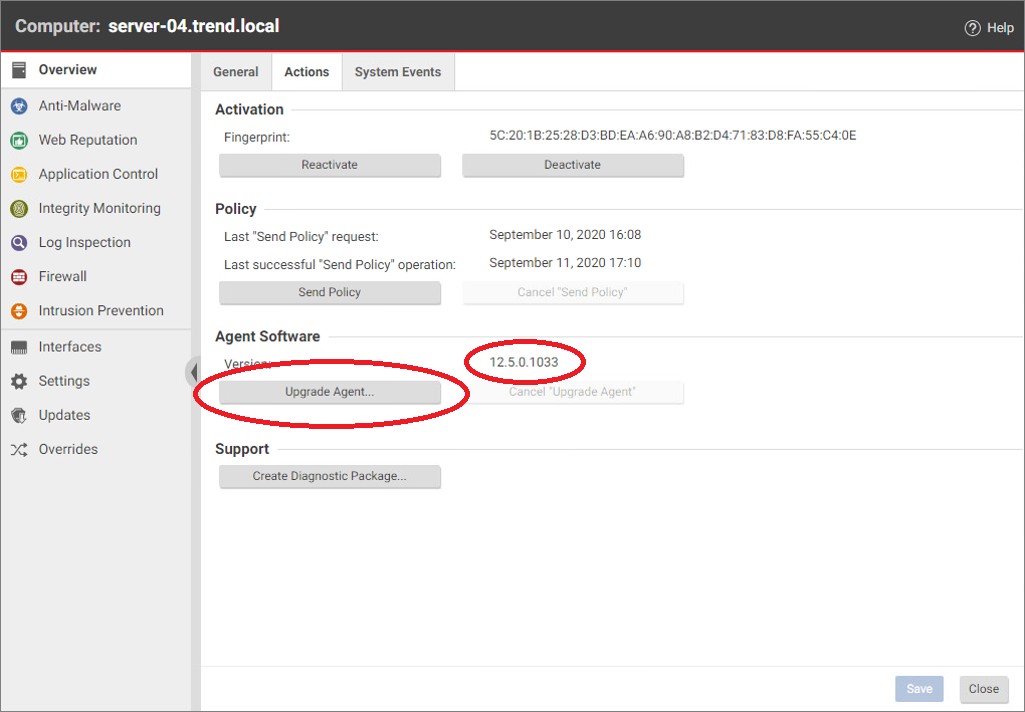
在 Deep Security Manager Web 主控台中,找到要升級的 Deep Security Agent,並雙擊開啟其 Details。若該作業系統已有可用的 Deep Security Agent 升級套件,Actions 分頁上就會顯示 Upgrade Agent 選項。
步驟 2
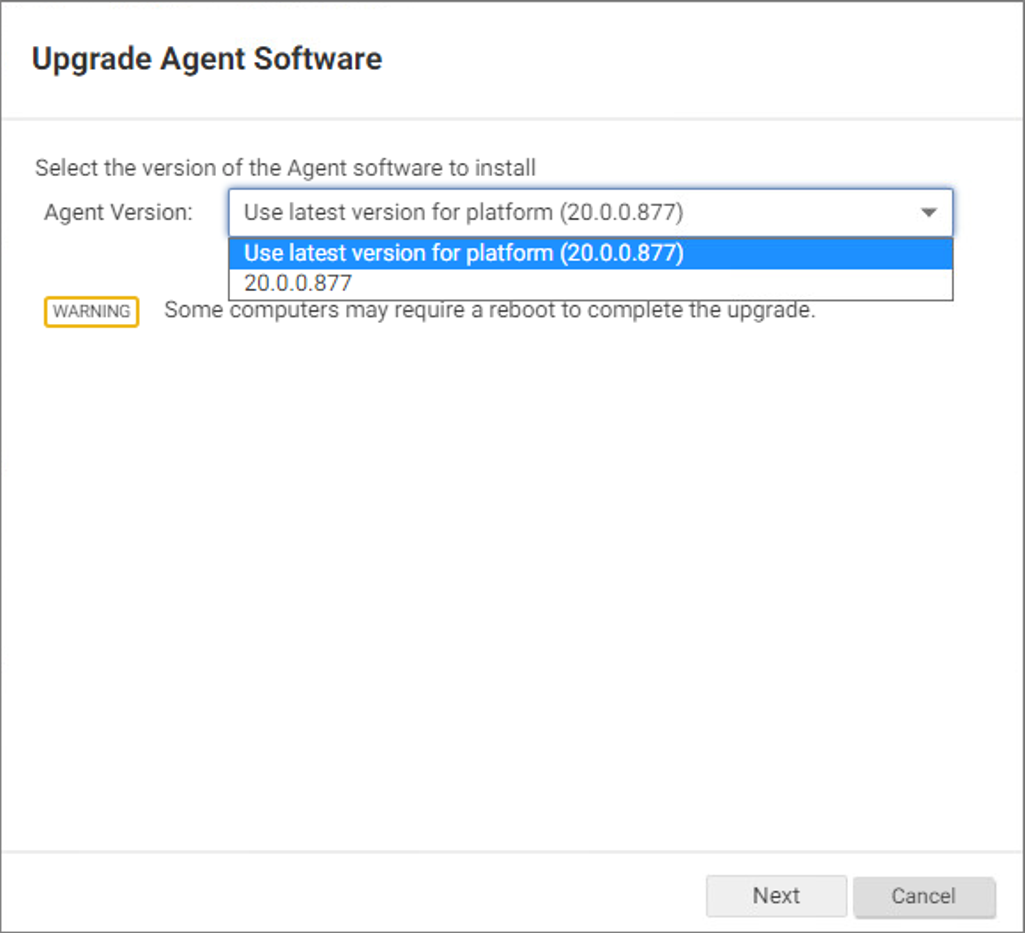
點擊 Upgrade Agent,並選取要升級的版本。Agent Version 清單會顯示所有已匯入 Deep Security Manager 的 Deep Security Agent 套件版本。
步驟 3
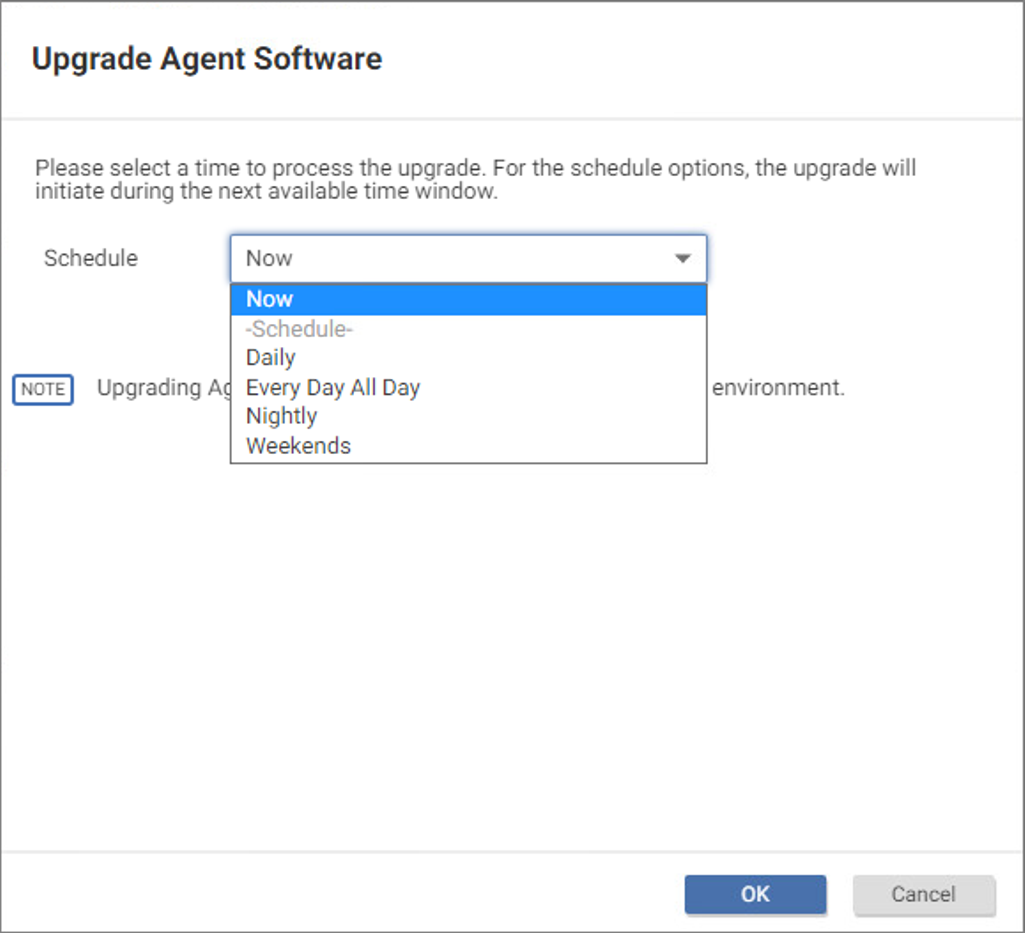
選取要處理升級的時間,或選取 Now。
步驟 4
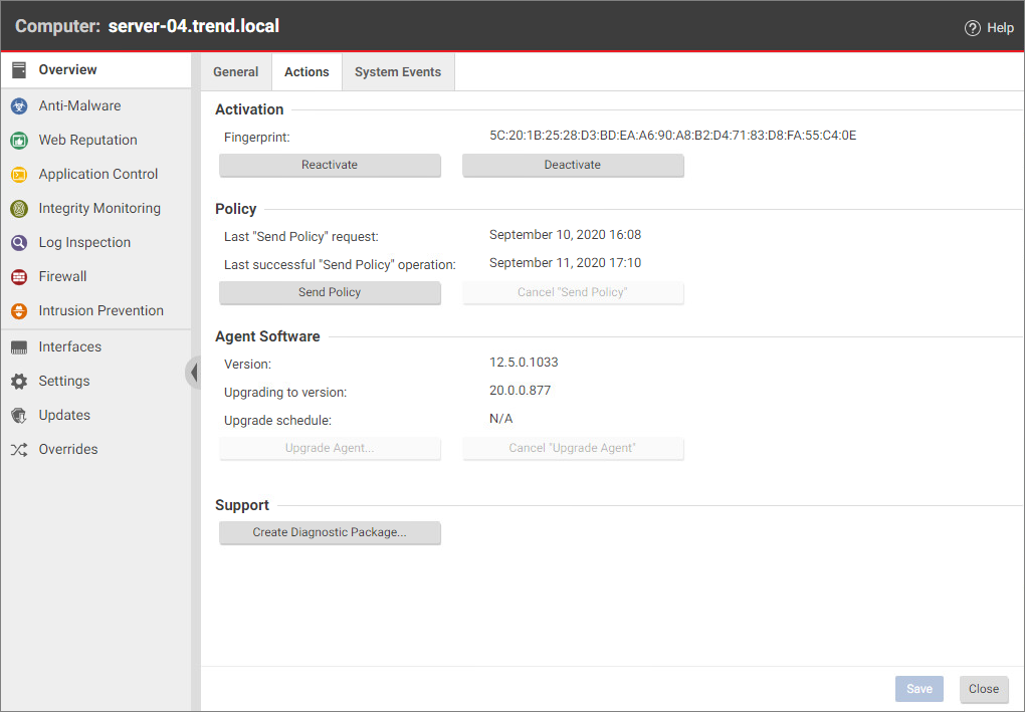
在 Deep Security Agent 升級期間,Actions 分頁會顯示升級進度。
步驟 5
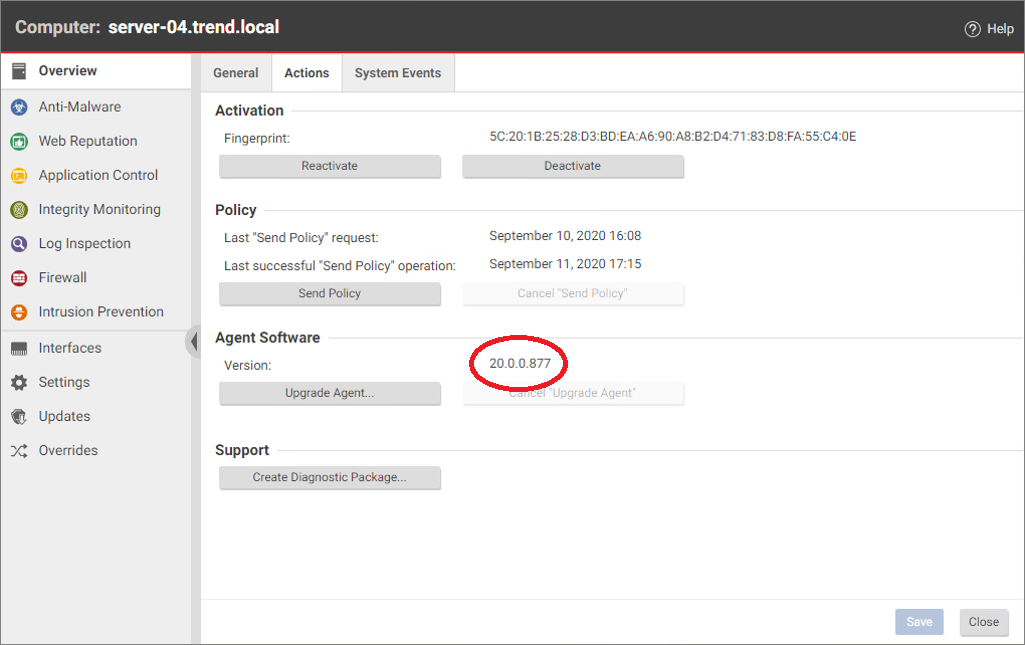
完成後,Details 視窗會顯示更新後 Deep Security Agent 的版本。
步驟 6
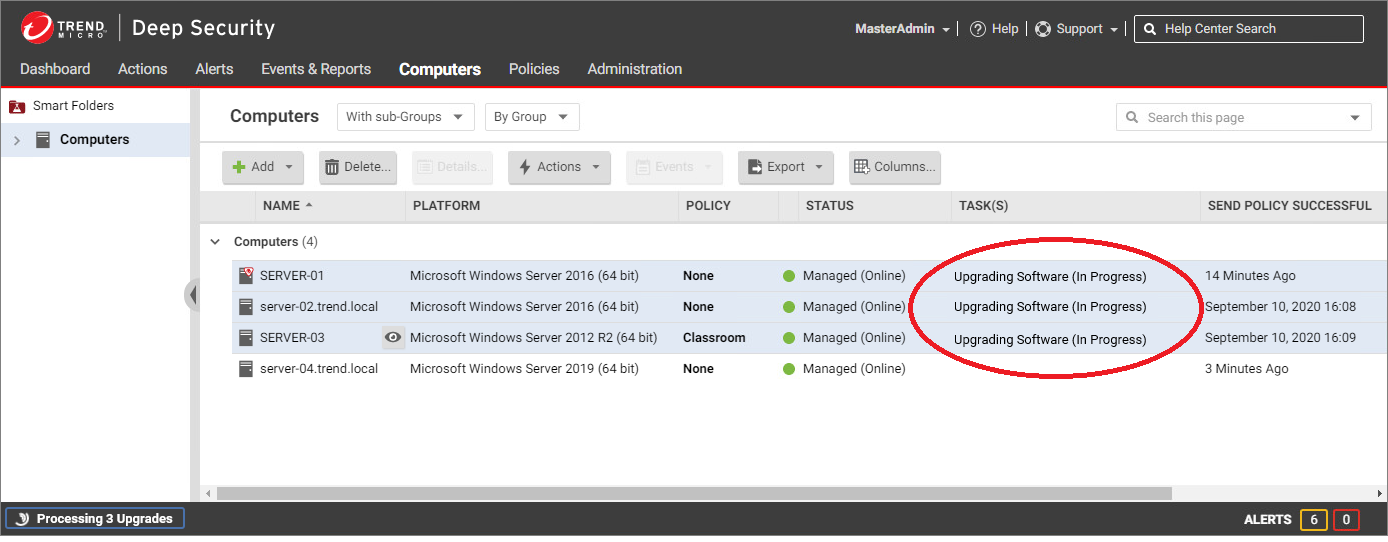
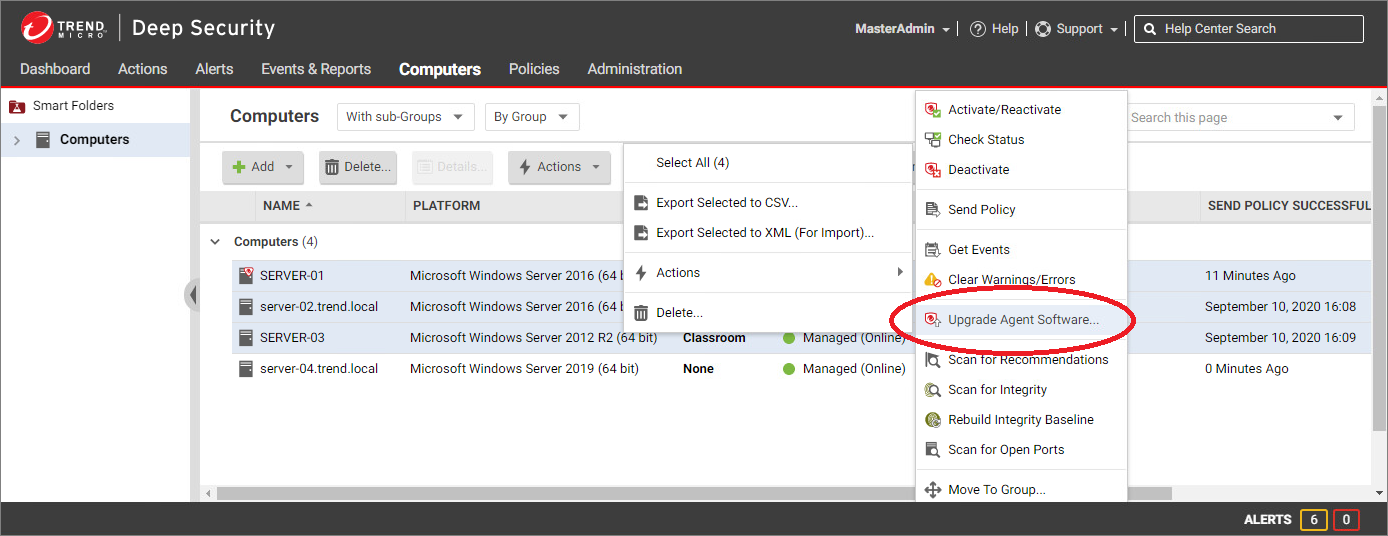
若要簡化升級多個 Deep Security Agent 的流程,可以在 Computers 清單中選取多個 Agent,並從右鍵選單點擊 Actions > Upgrade Agent Software。
步驟 7
在所選 Agent 升級期間,Task(s) 欄會顯示 Upgrading Software (In Progress)。