啟用 Deep Security Agent
啟用 Deep Security Agent
Deep Security Agent 與 Virtual Appliance 都須先啟用,才能接受 Deep Security Manager 的命令並回報其狀態。啟用過程中,系統會在背景執行下列作業:
- 系統會將 Deep Security Manager 的 SSL 憑證與 URL 傳送給 Deep Security Agent。
- 系統會產生全域唯一識別碼(GUID)並回傳給 Deep Security Agent。
- 系統會擷取 Deep Security Agent 的網路介面卡(NIC)資訊。
- 已註冊的 Deep Security Agent 資訊會儲存於資料庫中。
啟用 Agent 之前,您須先決定並設定 Deep Security Manager 與 Agent 之間的通訊方向。此設定須正確配置,Agent 才能成功啟用並與 Deep Security Manager 通訊。
為確保 Agent-initiated activation 期間 Agent 與 Deep Security Manager 之間的通訊安全,管理使用者須設定共用的 Agent activation token,並將其納入命令提示字元與部署腳本中。
在 Deep Security Manager Web 主控台中,點擊 Administration 選單,並在左側窗格中點擊 System Settings。點擊 Agent 分頁,再點擊 Allow Agent-Initiated Activation,然後在 Agent activation token 欄位中輸入密語。
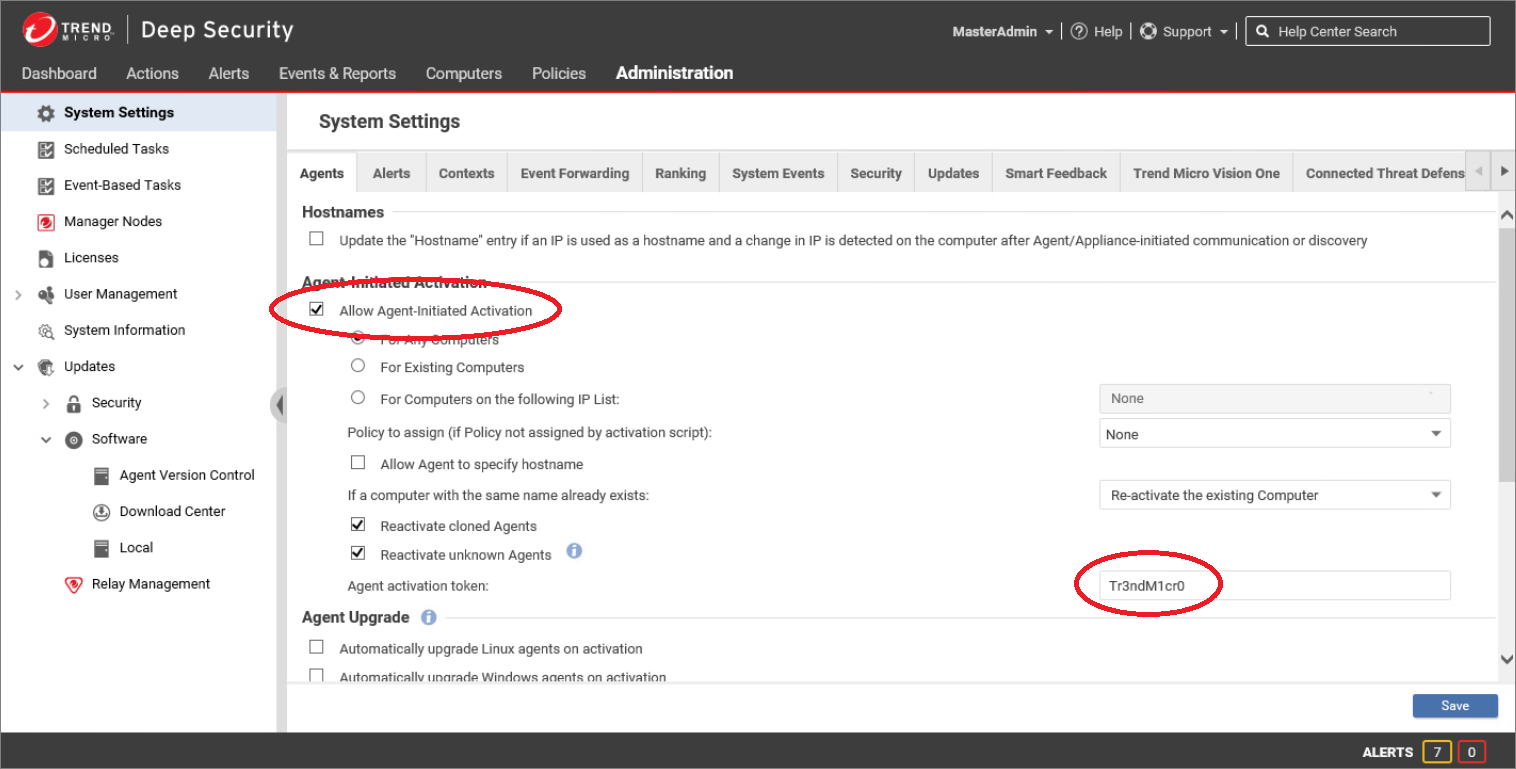
若管理使用者啟用 Agent-Initiated Activation 卻未提供 Agent activation token,Agent 便可在不提供任何驗證資訊的情況下自動啟用。若已啟用 Agent-Initiated Activation 且已輸入 Agent activation token,Agent 就必須提供此數值才能啟用。
在多租戶環境中,Agent activation secret 僅適用於主要租戶;其他租戶則會被指派系統產生的密碼。
透過 Deep Security Manager Web 主控台啟用 Agent
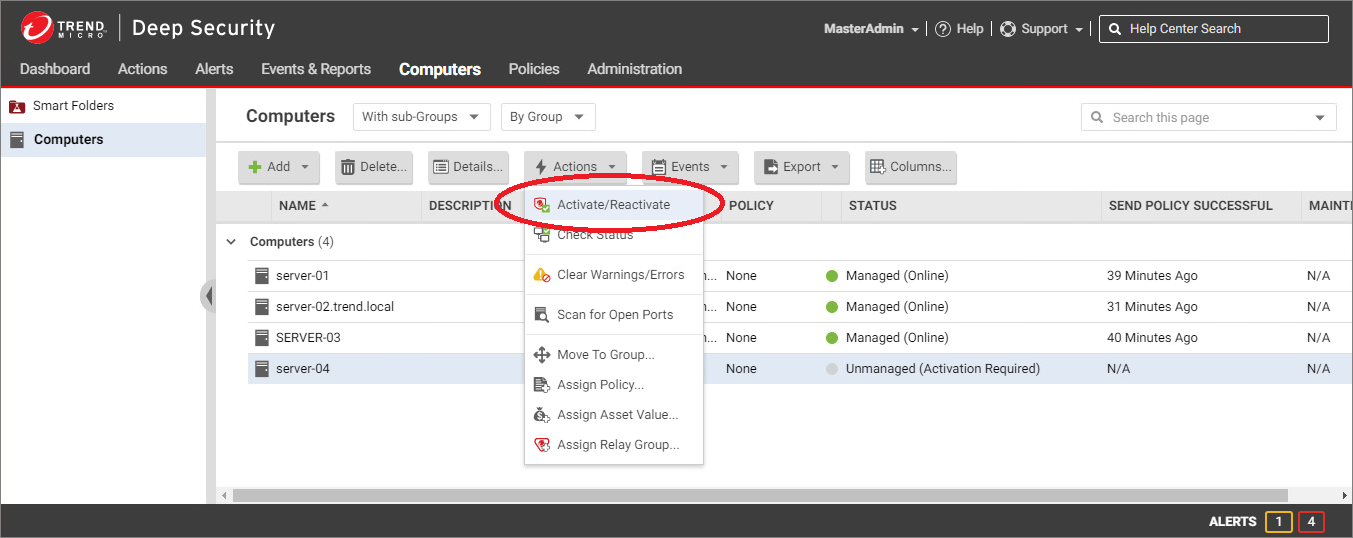
管理使用者可在 Deep Security Manager 中,於 Computers 清單的裝置上按右鍵並選取 Activate/Reactivate,藉此啟動 Deep Security Agent 的啟用程序。此時,Deep Security Manager 會將啟用命令傳送給 Agent。
影片
本影片示範如何透過 Deep Security Manager Web 主控台啟用 Agent。